Ask for a rig. Then move it yourself, in 3D.
Describe the show in plain English and CADMVR builds a first rig: truss, real fixtures from the GDTF Share, focused and patched. Drag it into shape in a proper 3D workspace, take a previs render and a plot, and send a clean MVR to the tools you already own.
Pre-release. In development for Windows 10 and 11; first alpha planned for 2027.
Three steps, one model.
The assistant builds the first draft. You edit it like any other 3D file. The renders and paperwork come out of the same model.
- 01
Ask for a rig
Describe the show in plain English. The assistant builds an initial rig in 3D.
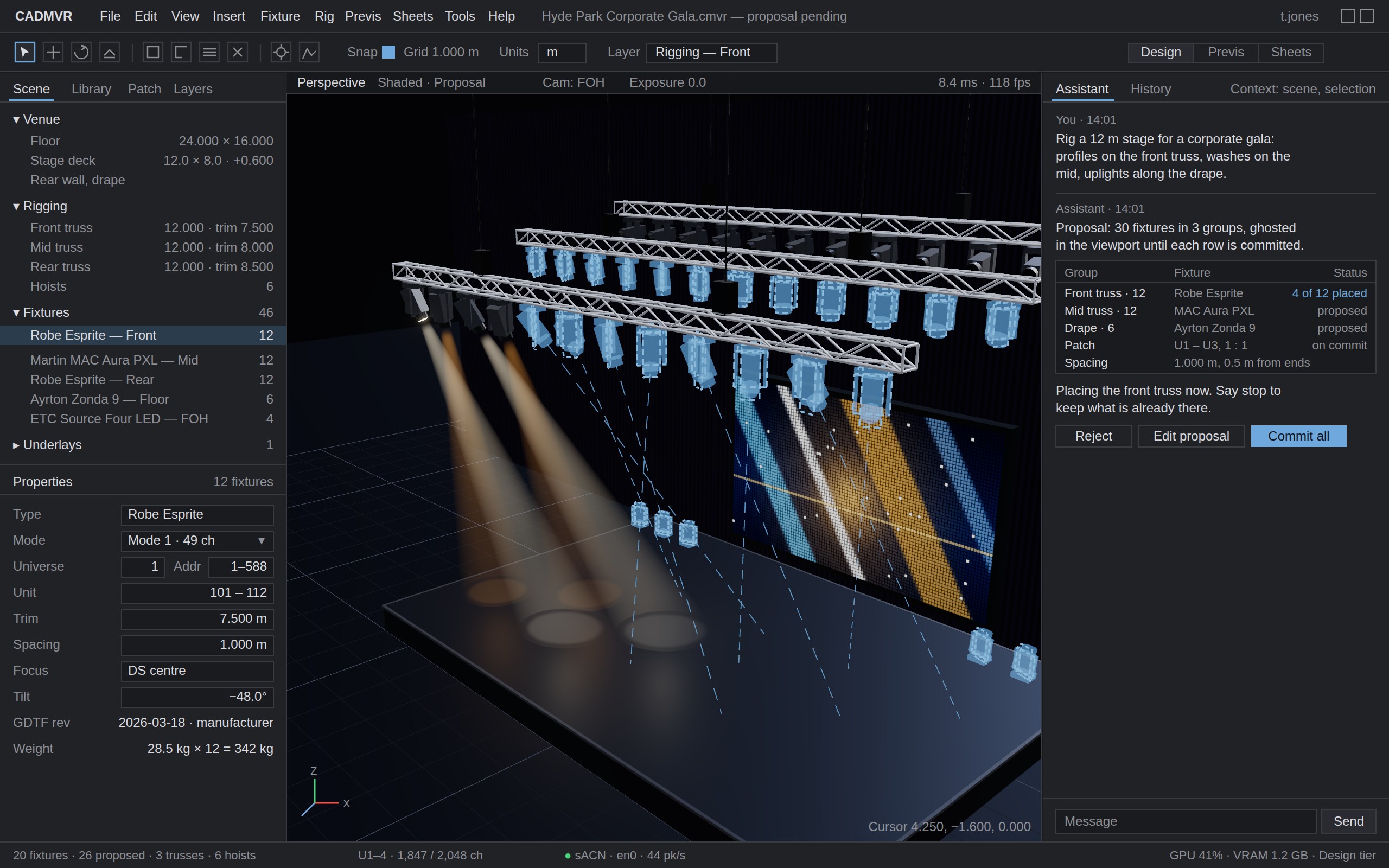
Say what the show is, how wide the stage is and what you want on it. The assistant hangs truss, pulls real fixtures from the GDTF Share, focuses them and patches them, then tells you what it did. Everything it does is listed as a normal edit, and every one of them is undoable.
The assistant places fixtures along the front truss and lists each operation beside the viewport. - 02
Move things yourself
A proper 3D workspace. The rig is yours to edit, not a chat transcript.
Drag fixtures along the truss, change trims, spacing and focus, swap a fixture type or add a position by hand. Properties are boxed numbers with units and the viewport answers within a frame. The assistant works on the same model you do, so what it built and what you built are the same thing.
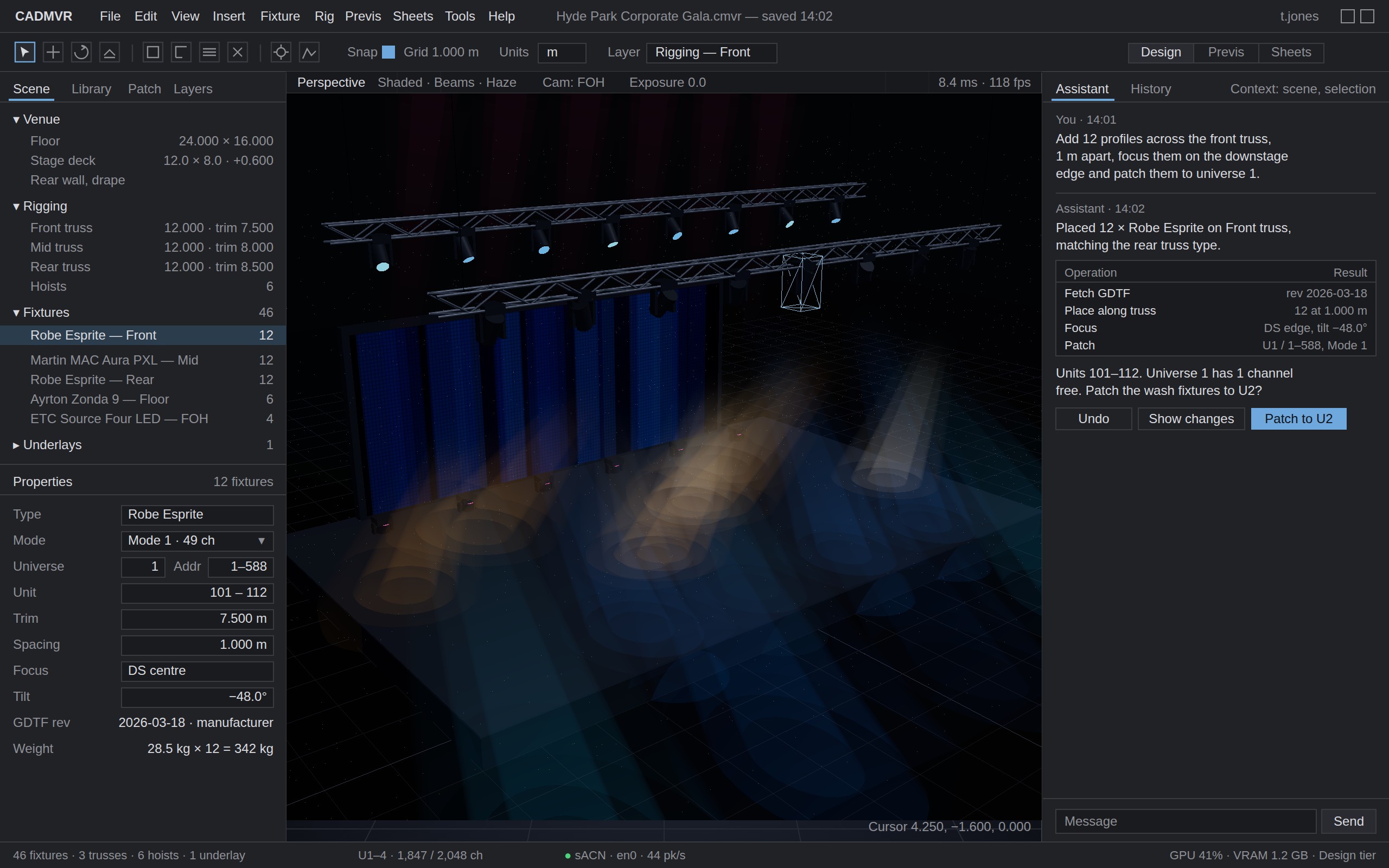
Dragging a fixture along the truss. Trim, spacing and focus are ordinary fields. - 03
Rough renders and plans, for free
A previs render, a plot with schedule and patch, and a clean MVR out.
The GDTF file carries the beam, the colour system and the gobo wheels, so the previs render comes from the fixture data rather than a stand-in. The plot, fixture schedule and patch list come from the same model. When the job is real, export a standard MVR and open it in Vectorworks, grandMA3, Depence or Capture as you built it.
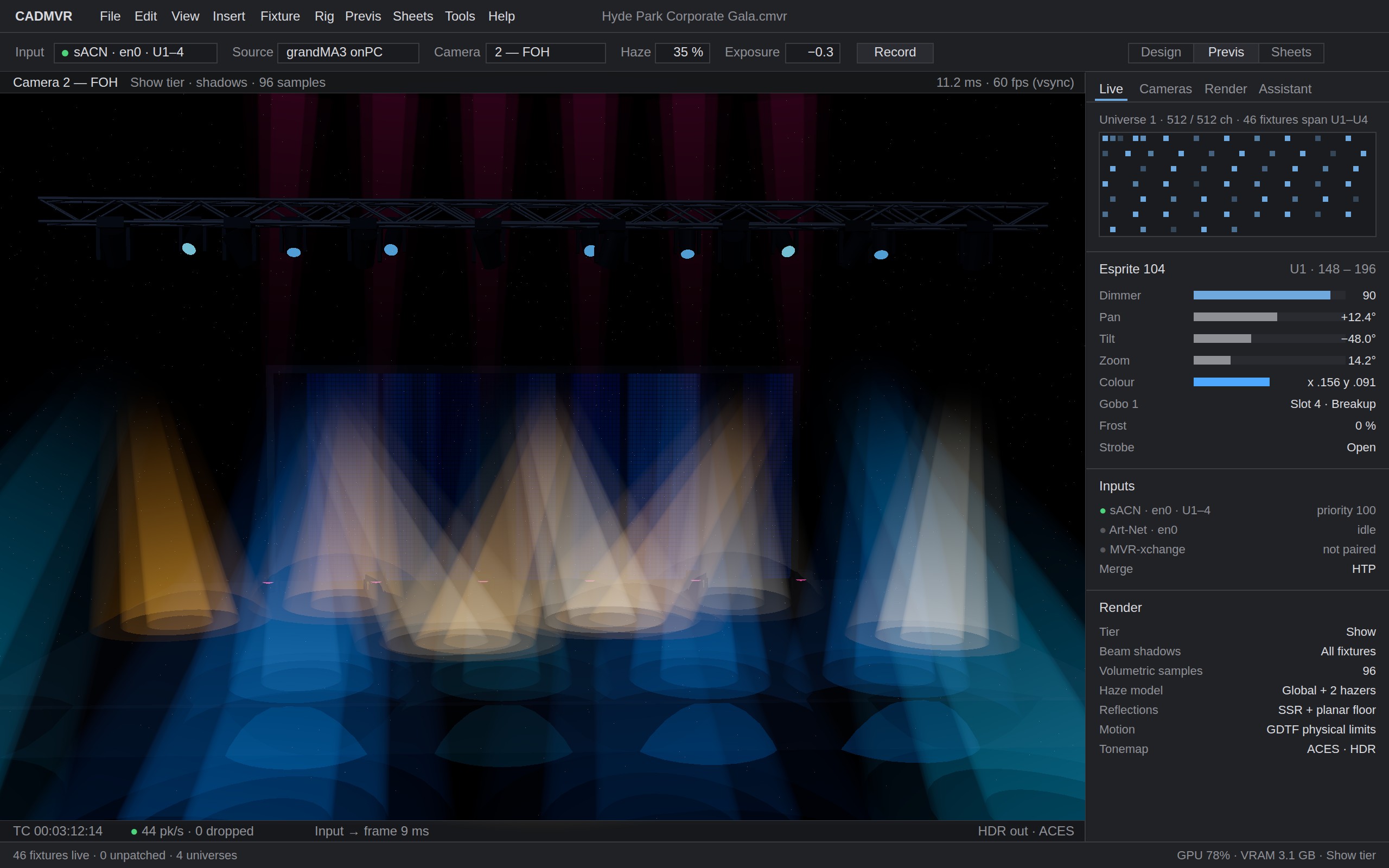
Previs, with beams, colour and gobos from each fixture file. 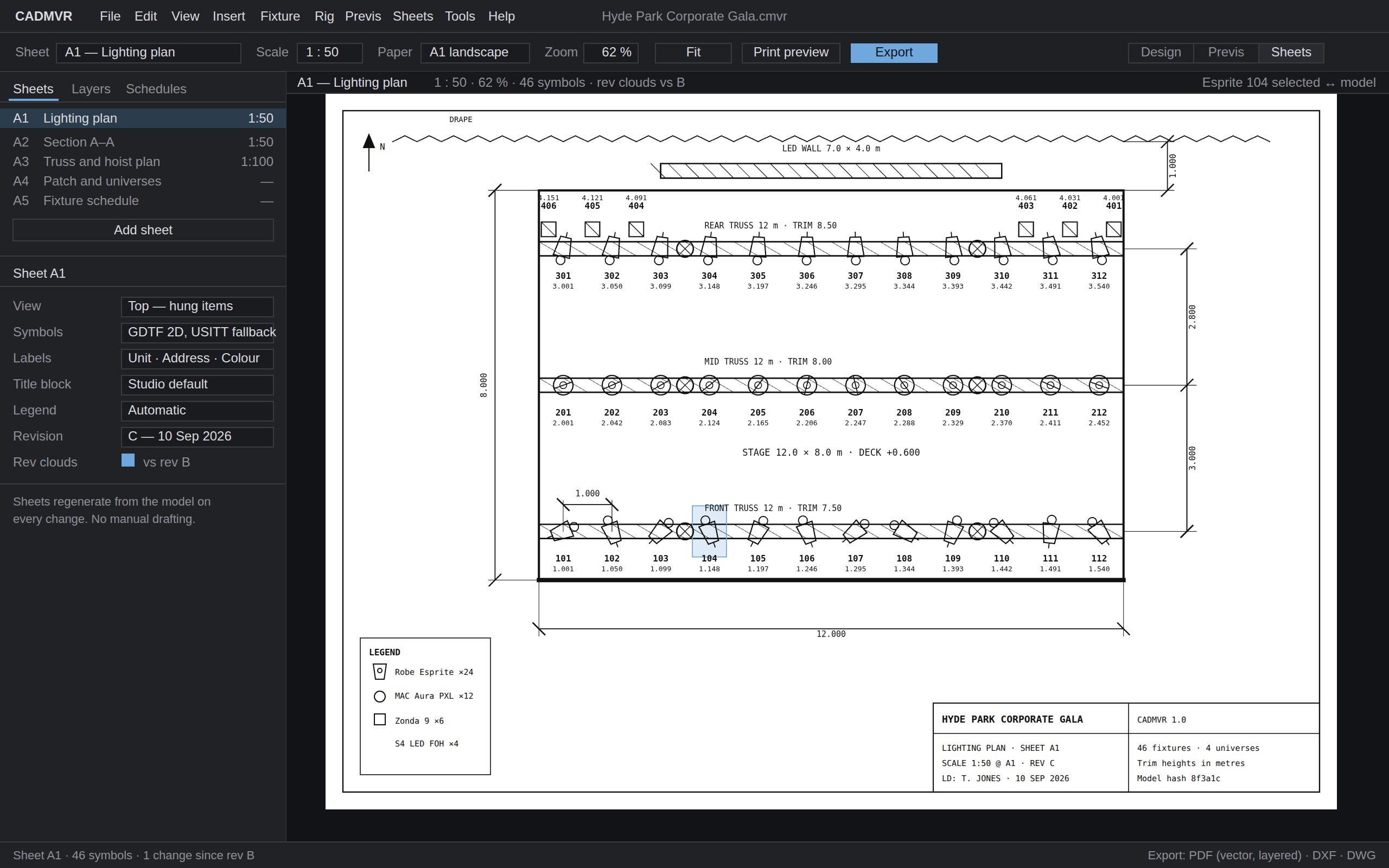
The plot, fixture schedule and patch, from the same model.
Works with what you own.
CADMVR sits alongside Vectorworks, Depence, Capture and the console, not in place of them. It does the first hour of the job and hands the file on.
- Files
- Exports standard MVR with the GDTF files embedded, so the rig opens in Vectorworks Spotlight, grandMA3, Depence and Capture with real fixture profiles rather than placeholders. Imports MVR from any of them.
- Fixtures
- Reads fixture files with the official GDTF library, so geometry, DMX modes, wheels and colour come from the manufacturer’s data. The GDTF Share catalogue is searchable inside the app.
- Consoles
- Receives sACN and Art-Net from any console, including grandMA3 onPC, MagicQ and QLC+, and the rig responds within a frame.
- Machine
- Windows 10 or 11. Any GPU with Vulkan 1.2; a dedicated GPU is recommended for previs. Runs on the laptop you carry to site.
Where it is.
CADMVR is pre-release software for Windows 10 and 11. The renders on this page are the design target the app is being built to, not screenshots of a shipping build.
The first alpha is planned for 2027 for a small group of designers at a founder price of £50 a month. 1.0 follows at £100 a month with Studio and Education plans. Pricing in full.
Register your interest.
One email when there is a build to try. Nothing else.